Showing posts with label your. Show all posts

Tuesday, February 25, 2014

Trick To Schedule Your Facebook Status And Twitter Tweets


Today I am telling you about how to Schedule your Facebook Status or Twitter tweets. It means that you will set date and time then automatically on your given time the status will be update.So let come that how we can do that…


Instructions:
  • Go to THIS WEBSITE
  • Now Select Facebook or Twitter and login with your Facebook or twitter account .It depends on you which status you want to update.

  • After signing in you will see another page in which to set your time zone i.e: if you are from Pakistan then set Asia/Karachi or from India then set Asia/Calcutta and so on, select your own region and then click on Next.
  • Click on Schedule  and you are done…
  • Have fun…

Monday, February 24, 2014

Recharge Your Phone Battery Without Charger


Yes that’s true you can recharge your mobile phone battery without charger for a limited time.

It is really annoying when you are away from home and your phone battery goes empty.
If you are not carrying the charger the situation is more worse. What will you do if you have to make a call from your phone.
There is an easy way without having to recharge the batteries charged. Although it did not last long as in the case, but for such cases we can call to simply provide some important news.
You do this by removing the battery from the phone and then rub and rub with hands or to a shirt or your pants for 3-5 minutes.

After a bit of heat, insert the battery into the phone and make an important phone call immediately because the battery life is usually only lasted two minute.The fact behind this is that when the battery is kept in a cool place the faster the battery capacity will be reduced.

If you do this in a rather cold battery condition, battery life time will usually be much longer. May be useful.

Saturday, December 7, 2013

Download Word Farm Android Game will keep you busy with your friends for hours!

Download Word Farm Android Game, will keep you busy with your friends for hours!


If you are fan of word games then Word Farm is a must have game for your Android phone. This fast-paced word game combine speed and strategy to search words against the clock! All you have to do is touch the tiles to spell as many words as quickly as you can, scoring you points. Word Farm features over 55 challenges to earn you respect and bonuses. See if you can unlock them all! With 11 power ups and over 700 words on each Word Farm board is so addictive that you won’t believe how quick it will kill your time.
Screenshot of Word Farm Android Game  Screenshot of Word Farm Android Game
Word Farm also allow to submit your scores to Facebook, compare on a weekly basis with your friends and the rest of the world! Grab Word Farm right now and have some word making fun!
Download Word Farm Android Game:
Word Farm Android apk

Saturday, November 16, 2013

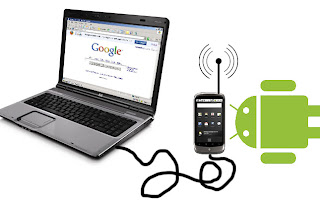
Use Your Android Mobiles As Modem

We know Android OS operating system is powered by the biggest, famous online data searching  giant GOOGLE. So obviously they include this feature although many of us doesnt know. However, Im now sharing you this two method for using your Android Phone as Modem.


How to Use Android Phone as Modem

Method 1 (WiFi). Follow the instructions bellow....
  • First of all go to your Android phone Settings
  • Click on Tethering & Portable Hotspot and then click Wifi Hotspot.
  • You are simply done. Now your Android phone will work as wifi modem for connecting internet to your computer or Laptop.
Method 2 (USB). Follow the instructions bellow....
  • Like the first method go to your Phone Settings
  • Click on Tethering & portable hotspot and then click USB tethering
  • Compete!!! Now simply use your phone as USB modem. 
Note: Settings might be little bit changed for different Android versions. Some of Android phone doesnt contain the Wifi hotspot settings.

    Total Pageviews